Markdownify — Everything You Read or Hear, as Clean Markdown
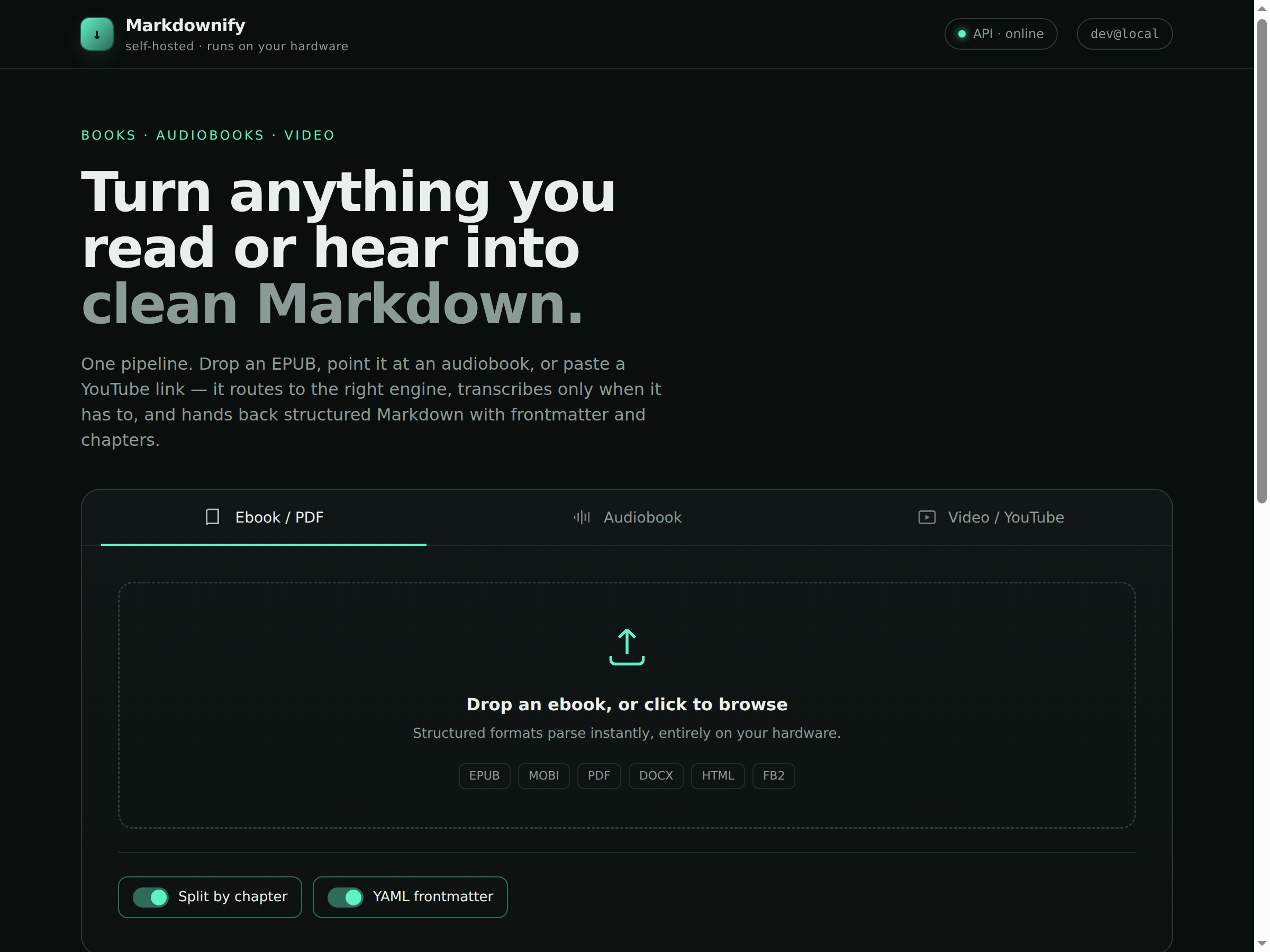
I keep a knowledge base, and a knowledge base only compounds if everything lands in it in one shape. Mine is Markdown. But the things worth keeping arrive in every shape except that — an EPUB here, an hour-long talk there, a PDF whitepaper, an audiobook I want searchable. So I built the missing converter and put it on the same box that serves my models.
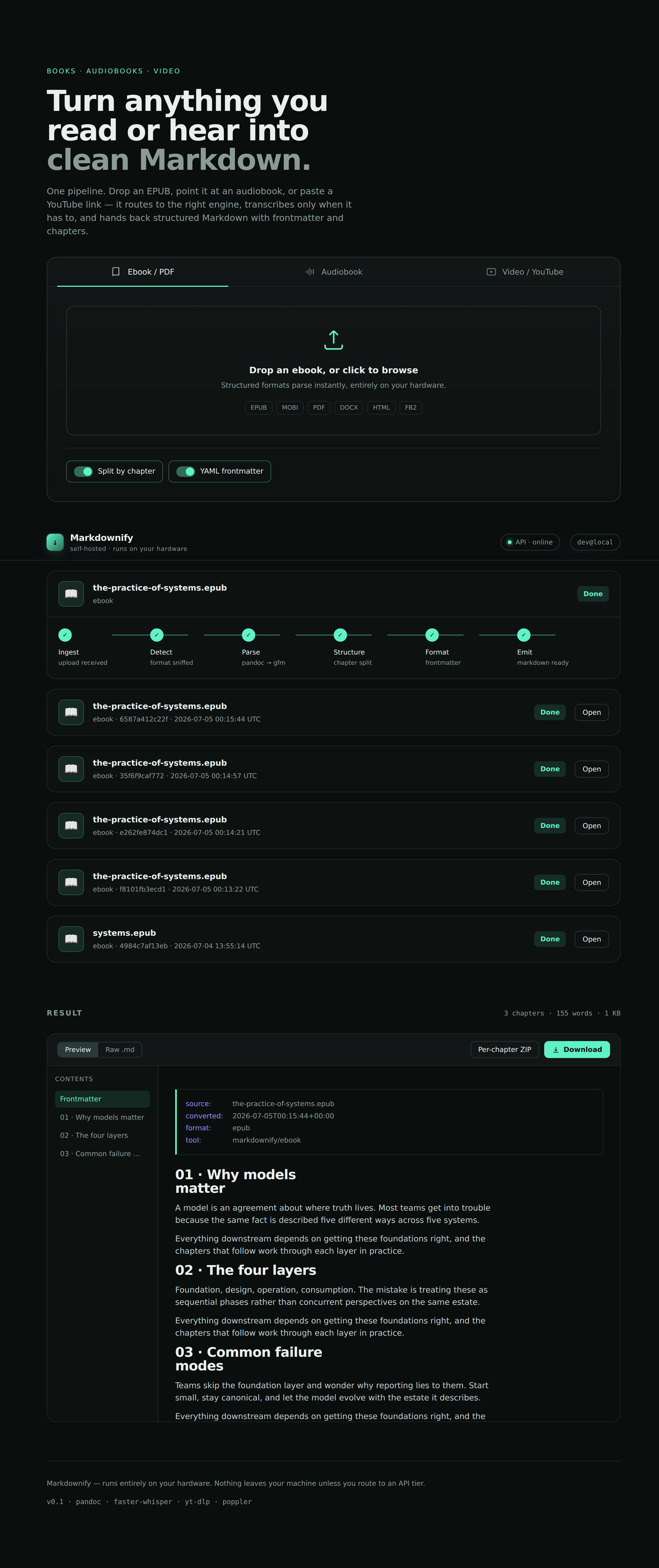
Markdownify takes an ebook, an audiobook, or a video link and hands back clean Markdown — YAML frontmatter, chapters as headings, timestamps where they matter. One intake, three engines, and a rule that saved most of the work: transcribe only when you actually have to.
Disclosure: this was built and drafted with an AI assistant, then reviewed, run against the live box, and edited by hand. The design choices below are the ones actually running.
One intake, three engines
Drop a file or paste a link and it routes to the right converter instead of forcing everything through one lossy path:
| Input | How it converts | Needs a GPU? |
|---|---|---|
| Ebook — EPUB, MOBI, DOCX, HTML | pandoc → GitHub-flavored Markdown, split on chapters | No |
poppler's pdftotext, de-hyphenated and reflowed to paragraphs | No | |
| Video / YouTube | captions first, then transcription only if there are none | Rarely |
| Audiobook | local Whisper transcription → Markdown with timestamps | CPU only |
The whole thing is a small FastAPI service, a single-file web UI, and a transcription server, tied together with a launcher. Nothing leaves the machine.
Transcribe only when you have to
The most expensive thing a converter like this can do is transcribe audio it didn't need to. So the video path is caption-first: it asks yt-dlp for manual subtitles, falls back to auto-captions, and only if there are none does it pull the audio and run speech-to-text. When captions exist — which for most talks they do — you get the text in a second or two, reflowed from cue fragments into real paragraphs with [mm:ss] anchors so you can jump back to the source.
That one decision means the GPU-shaped part of the problem almost never runs.
The Whisper server runs on the CPU on purpose
When it does have to transcribe, it does not touch the GPU. Long-time readers know why: that same Spark serves one resident model behind vLLM, and I am not going to let an overnight audiobook job fight it for a 273 GB/s memory bus. So the transcription server runs faster-whisper on the CPU — the 20 ARM cores that were otherwise idle — and stays completely out of the model's lane.
It turned out the CTranslate2 build on the box has no CUDA support anyway, which sounds like a limitation and is actually the feature: there is no way for it to accidentally reach for the GPU. Audiobook transcription is a batch job. A ten-hour book is an overnight run, and overnight the CPU is free. The model serving my apps never notices.
The endpoint speaks the OpenAI /v1/audio/transcriptions shape, so if you do have a spare GPU you point the same client at a GPU Whisper server and nothing else changes.
 The small sharp edges
A few things that were more interesting than expected:
→ pandoc can't read PDF. It converts to PDF, not from it — feed it one and you get Unknown input format pdf. PDFs go through poppler's pdftotext instead, with a pass to rejoin words broken across line breaks and reflow hard-wrapped lines into paragraphs. Scanned image-only PDFs have no text layer, so those are detected and told to go get OCR rather than returning silent garbage.
→ Auto-captions repeat themselves. YouTube's auto-caption track re-emits each line across overlapping cues, so a naive parse gives you every sentence two or three times. The VTT parser dedupes against a rolling tail before it reflows.
→ URLs are treated as hostile. Anything you paste is checked against a host allowlist and — critically — the resolved IP is verified against private and loopback ranges before yt-dlp ever sees it. That defeats DNS-rebinding, where a hostname you allow quietly resolves to 169.254.x or your LAN. A converter that fetches URLs is an SSRF waiting to happen; this one closes the door before the fetch.
One port, because the launcher matters
I run this from NVIDIA Sync, which forwards a single port and opens a browser at it. A two-port setup — UI on one, API on another — breaks the moment it's behind that single tunnel: the page loads and every API call dies. So the API serves the web UI and its own endpoints on one port. Same origin, one forwarded port, the whole app works through the tunnel. The launcher brings the stack up in order, waits for health, and prints the URL:
scripts/markdownify.sh start
# whisper → api (serves the UI too) → open the printed URL
start, stop, restart, status, run. Point Sync's launch command at it and Markdownify becomes a button.
The part I won't build
The obvious next ask is "log into Amazon and pull my Kindle and Audible library straight in." I won't, and it's worth saying why plainly. There is no legitimate API that hands back the decrypted text of a Kindle book or the decoded audio of an Audible title — getting there means stripping Amazon's DRM, which breaches their terms and the DMCA even for things you paid for. Markdownify converts files you already have on disk. DRM-free ebooks, your own PDFs and documents, audiobooks you can legitimately export — point it at those and it does the rest. It does not pick locks, and neither should the tools you build.
Where it runs
Markdownify sits alongside the model server and the rest of the stack on the one Spark — CPU work for transcription, no GPU contention, nothing phoning home. The engineering that matters isn't the conversion, which is mostly gluing good open-source tools together well; it's the routing decisions around it: don't transcribe what's already captioned, don't fight the GPU you're already using, don't trust a URL, and don't build the thing that picks a lock.
It's open-source under MIT — the code, tests, and setup are on GitHub. Clone it, point it at a folder of files, and get your library back as Markdown.
Enjoyed this post? Subscribe for more.